

• We’re currently investigating an issue related to the forum theme and styling that is impacting page layout and visual formatting. The problem has been identified, and we are actively working on a resolution. There is no impact to user data or functionality, this is strictly a front-end display issue. We’ll post an update once the fix has been deployed. Thanks for your patience while we get this sorted.

Question Crucial SSD SMART Attribute 180 Question

Riderxsk

Junior Member
Link to SSD:

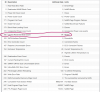
I bought a Crucial MX500 1TB 3D NAND SATA 2.5-inch SSD and ran Crucial Storage Executive to check its health. “Attribute 180: Unused Reserved Block Count” shows up as 64 Blocks in attribute data.

I was told it’s supposed to be 100, so is 64 the normal amount for this attribute?

I attached a screenshot of the SSD SMART health scan for reference.
Thanks.

 

Attachments
  • 23D3803D-407E-4C08-92F5-066C78A3E5A3.png
    23D3803D-407E-4C08-92F5-066C78A3E5A3.png
    162.8 KB · Views: 14
Last edited:
hmm it says 100% life left..I read that anything below 100 is not a good sign. are you able to have it exchanged?
 
hmm it says 100% life left..I read that anything below 100 is not a good sign. are you able to have it exchanged?
I was told by Crucial this value didn’t really matter as long as health still showed Good. Which is why I was curious about what value other people might have for that attribute.
 
It's fine.

Looking back at your history here, you kind of have a thing about being concerned with new drives and their SMART status. 😉

https://hardforum.com/threads/whats-your-unused-reserved-block-count-for-crucial-mx500.2008295/

TL;DR: New Crucial MX500 SSD with S.M.A.R.T values on line 180 of 47,35,25 etc. (or other low double digit numbers). are healthy drives, that do not need to be returned or RMA'd. Crucial is not robbing you of long term performance, simply a change in the language of the software. Superblocks are being reported instead of individual blocks.
 
It's fine.

Looking back at your history here, you kind of have a thing about being concerned with new drives and their SMART status. 😉

https://hardforum.com/threads/whats-your-unused-reserved-block-count-for-crucial-mx500.2008295/

Appreciate the explanation. You also helped me before in a different post too, so thanks a lot.

I basically post on stuff I don’t understand, which is generally drive health-related stuff. I’ve had a bad history with drives failing prematurely, so I’m always scrutinizing new drives I get (e.g. the previous post I made about my new laptop’s HDD health, that drive died on me within a month).
 
Last edited:
just keep your files backed up. I've had a mx500 for about a year maybe more and it's been fine other than being kind of slow sometimes but I've read plenty of stories of them failing fairly quick or giving 100 life while failing.
 
For what it's worth, I have a 500GB MX500 that's a few years old... it shows 20K hours and 10TB written, and 45 unused NAND blocks. It also shows 97% health, which is why I pulled it out of OS duty, and now it serves as a backup/scratch disk.
 
Back
Top