
• We’re currently investigating an issue related to the forum theme and styling that is impacting page layout and visual formatting. The problem has been identified, and we are actively working on a resolution. There is no impact to user data or functionality, this is strictly a front-end display issue. We’ll post an update once the fix has been deployed. Thanks for your patience while we get this sorted.

Question Change color in display

Hello,

Sometimes the color of the display changed and after the ON/OFF monitor, this problem has been solved.

What's the problem?

Thanks
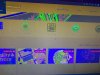

WhatsApp Image 2020-09-06 at 4.11.06 PM.jpeg
 
could be the graphics card, graphic drivers, cable, or monitor.
The easiest thing to test is to see if switching monitor cables or ports fixes the issue.
next you could try software fixes such as running a virus scan and reinstalling your graphics driver.
If you still have the problem after the above you would need to test the graphics card and/or monitor to see which one is causing the problem.

Do you know what model the monitor is, what type of monitor cable and what computer & graphics card you are using?
 
could be the graphics card, graphic drivers, cable, or monitor.
The easiest thing to test is to see if switching monitor cables or ports fixes the issue.
next you could try software fixes such as running a virus scan and reinstalling your graphics driver.
If you still have the problem after the above you would need to test the graphics card and/or monitor to see which one is causing the problem.

Do you know what model the monitor is, what type of monitor cable and what computer & graphics card you are using?

Thank you for your reply,

The problem is solved when I turn the monitor on and off.
I don't have a graphic card. (CPU: I7-3770)
Monitor: LG 2060T
 
Back
Top