Well, for the most part the controllers being used are either JMicron or ASM when it comes to HBA's.
There's one instance where a particular controller has an issue with - ASM1166 / z690 issue.
For the speed it depends on if you're going SSD or spinner though. Obviously if you go SSD there's a potential bottleneck based on which type / version of PCIE slot you end up putting the cards into. As well the controllers have some limitations as well. Also, once you go beyond 5 SATA ports you'll see additional controllers added to the board for the extra ports on the card.
JMB585 - 1700MB/s
ASM1064 - secondary controller - 985MB/s
I had the opportunity to test the “real word” bandwidth of some commonly used controllers in the community, so I’m posting my results in the hopes that it may help some users choose a controller and others understand what may be limiting their parity check/sync speed. Note that these tests are on...

forums.unraid.net
This goes into the speeds / controllers a bit more extensively though. It also breaks down the speed changes when adding more than a single drive.
So, if you take the JMB585 and put 5 drives on it @ 200MB/s each you're well under the threshold for the controller. Now, if you put a couple of SSD's on it with a max of 3 you're going to potentially see a slight bottleneck since they each run up to 550MB/s.
As to the detection of failed drives that's mostly going to be SMART data or noticing your RAID is degraded.
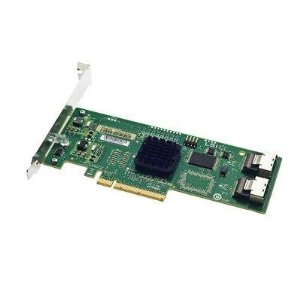
The main difference between RAID cards and HBA cards is the CPU on the RAID cards which is meant to offload the calculations for the parity drive. Back in the day this was helpful when CPU's were not as powerful as they are today. This only comes into play when not using 0 or 1 versions such as 5 or 6 or even 3/4
Learn more about the difference between hardware RAID vs software RAID.

premioinc.com
A straightforward guide to hardware RAID, HBAs, software RAID and "FakeRAID" for users researching options.

www.servethehome.com
The acronym RAID stands for redundant array of independent disks. A RAID system may be hardware or software, and virtualizes physical storage drives to

www.enterprisestorageforum.com
Now, this all comes down to how you're using the storage. If it's highly active running DB's then a raid card might be better but, it's it just backups and reads then just running it off the OS / HBA would make more sense. I juts wouldn't want to spend $500 on a card that doesn't improve things significantly. Sure, the convenience of cable management using fan out cables might be appealing in a tight case but, if you're putting 16 drives into a case then space isn't an issue.
Depending on the board you go with and whether or not you want to use the onboard SATA ports or run all of the drives off HBA's is up to you though. There's a 1000 different ways to get the same results when dealing with storage. If it's basically going to be a NAS and nothing else then using all of the PCIE slots for HBA's isn't an issue. If it's going to be used for other things other than data then it might be an issue using those slots for other things like a quad port NIC or GPU or advanced sound card or a TB4 card for higher data throughput from portable drives.
When you move into SSD speeds though aggregating multiple drives trough a card might make more sense when you get beyond what the MOBO can handle alone. The other option would be up the capacity of the drives themselves to 18 or 20TB and consolidate things to use less ports and take advantage of the newer higher speed controllers used on spinners these days hitting upwards of 300MB/s. There's even a Seagate Mach.2 drive that has dual actuators and hits up to 500BM/s+ but, I haven't been able to find a source selling them at this point.