• We’re currently investigating an issue related to the forum theme and styling that is impacting page layout and visual formatting. The problem has been identified, and we are actively working on a resolution. There is no impact to user data or functionality, this is strictly a front-end display issue. We’ll post an update once the fix has been deployed. Thanks for your patience while we get this sorted.

Question Can Dell's New Workstation 3660 run two GPUs ?

dan99t

Member
Hi,
I am looking to buy new Dell workstation 3660 with i-7, 12700 CPU.
I would like to run a minimun of 8 Monitors.
This workstation has only following slots.
One PCIe x16 Gen5
One PCIe x4 Gen4
One PCIe x4 Gen3
When configuring on their website it allows me to install Two Nvidia T1000 GPUs & each has 4 miniDP ports so two will run 8 monitors.
https://www.dell.com/en-us/work/sho...rationid=57bf10ee-c73d-4ab8-b507-29b0fbaf0ac8
But i-7 cpu supports only 20 PCIe lanes & each T1000 GPU requires 16 lanes.
So how Dell will put two GPUs & will they drive eight 24" monitors ( 1920x1200 ) ?
There is one open end x4 slot so will they put it there & if yes what about only 20 PCIe lanes for two GPUs ?
Thank You

 

Attachments

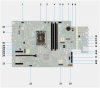
  • PCIe Slots = Dell 3660.png
    PCIe Slots = Dell 3660.png
    18.2 KB · Views: 3
  • Dual Nvidia T-1000.png
    Dual Nvidia T-1000.png
    177 KB · Views: 6
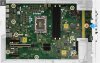
  • 3660t.jpg
    3660t.jpg
    966.4 KB · Views: 6
  • 3660t - 2.jpg
    3660t - 2.jpg
    454.7 KB · Views: 6
I would avoid buying Dell pre-built computers. To answer your question, most GPUs can work like that, in an x4/x8 slot, but IDK about the T1000. Also, who knows if there is some Dell BIOS issue preventing the 2nd card from working.
 
Also, who knows if there is some Dell BIOS issue preventing the 2nd card from working
They are not saying that 2nd card is not working. In fact they will install the 2nd card if I want it when I purchase the system. So before I purhase the system I want to make sure that 2nd card will work in x4 slot ? Being not a hardware expert & someone raised the question of not having enough PCIe lanes using i-7 12700 as a CPU.
 
Why are you starting a new thread?

I am sorry but I thought previous thread was dead & before making the purchase I wanted to clear up this issue of i-7 12700 having only 20 PCIe lanes, would that matter ? But you have been very helpful in previous thread & I am grateful.
 
They are not saying that 2nd card is not working. In fact they will install the 2nd card if I want it when I purchase the system. So before I purhase the system I want to make sure that 2nd card will work in x4 slot ? Being not a hardware expert & someone raised the question of not having enough PCIe lanes using i-7 12700 as a CPU.

you'll be fine with the two cards if all you are doing is driving displays for stocks.
 
I am sorry but I thought previous thread was dead & before making the purchase I wanted to clear up this issue of i-7 12700 having only 20 PCIe lanes, would that matter ? But you have been very helpful in previous thread & I am grateful.

20 is fine for two GPUs, especially for your use case.

Even heavier loads wont be very impacted with them being limited to less than 16x with PCIe 4 or 5.

And as a side note, posting this in your original thread would have been the better way. Any of us that have commented there will be notified that you put a new post there.
 
Could I use two DP ports & 2 USB 3.2 Type-c Ports to run extra 4 More Monitors making it a total 12 Monitors ? If yes how ?
 
The USB-C ports need to have DP alternate mode enabled for them to work with adapters (it isn't specified in the documentation so I wouldn't bet on it). You can also get MST adapters that split the DP signal into two or more DP outputs, but then you split the max resolution on each (from 1x 4k60 to 2x 4k30 for example). I use one to get three screens on my work laptop (it's a surface that only allows 2 DP connections so that was the workaround).
 
Back
Top