• We’re currently investigating an issue related to the forum theme and styling that is impacting page layout and visual formatting. The problem has been identified, and we are actively working on a resolution. There is no impact to user data or functionality, this is strictly a front-end display issue. We’ll post an update once the fix has been deployed. Thanks for your patience while we get this sorted.

Bioshock Infinite textures ? Wut ?

MentalIlness

Platinum Member
My lord...what is up with the bad textures in Bioshock Infinite. Wow they look awful. I have googled it, seems some can fix it, but it dont seem to work for me.

Is there a patch or any type fix coming out for this ? Makes me not even want to play it. 😡
 
Outside of the fruit baskets thing, I can't really recall any textures that were all that terrible. Most of it looked pretty standard for a port nowadays.
 
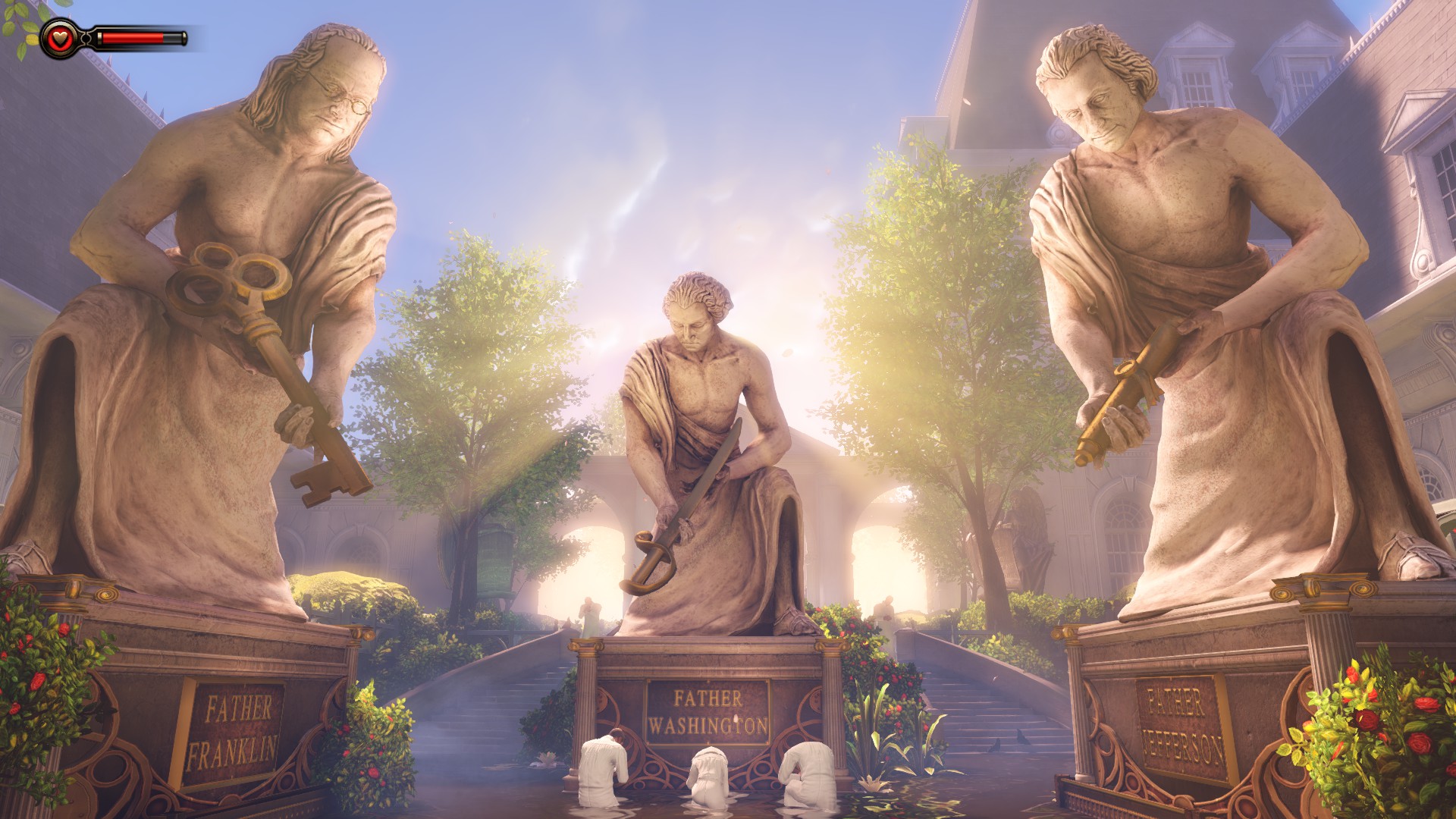
The statues. They shouldnt look like that. It seems the textures...pop...in and out. Then they just stay low res looking. Like the rope on the floor in the first room of the game, its just a blob of...brown...color.

wbNqxm9.jpg
 
Last edited:
I noticed a few problems with random low-resolution textures after I started messing with the game's INI files. Reverting them back to the default stopped that problem.

You can see an example of what I mean right here:
Vending Machine: http://cloud-2.steampowered.com/ugc/558718746385982097/64D14764EDAA6155BBD53B9D5D269B2C98B9E5F0/
Statue Plaque: http://cloud-2.steampowered.com/ugc/558718746385983962/994E45B5F2B929B7B23F696C178FFAEA11646BC7/
Eiffel Tower: http://cloud-2.steampowered.com/ugc/558718746385980201/1D7D48E4F226002F648EB0AB1D7573669B0E75C3/
 
Er, how much VRAM do you have? Bioshock Infinite adjusts that at startup based on available VRAM AFAIK.

If your are referring to video ram, the HD 6870 only has 1 gig. I am upgrading that to a higher end model this week.

EDIT: I am currently using the 13.4 drivers from AMD's site.
 
Last edited:
Yea, I get those textures as well. Billboards, signs ads and all of that type of thing, is so blurred they are 100% unreadable.

I've read online that there has been quite a few with this problem. Some seem to say that it is because the game is a direct port from consoles, and the textures have been "dumbed" down.

I have tried the .ini file, and a few other things. Nothing works. Reverted back to stock files, still a no go.

I suppose it is possible that there just isnt enough vram.

Now it seems, the textures "pop" in and out. They show up good for just a second, then revert to blurry bad textures. I just took this one...but it went back to bad extremely quick.

QErkiak.jpg
 
The statues. They shouldnt look like that. It seems the textures...pop...in and out. Then they just stay low res looking. Like the rope on the floor in the first room of the game, its just a blob of...brown...color.

wbNqxm9.jpg

the normal maps arent being loaded/used. dont know why.
 
If your are referring to video ram, the HD 6870 only has 1 gig. I am upgrading that to a higher end model this week.

EDIT: I am currently using the 13.4 drivers from AMD's site.

Well there you go. This is why you have lower resolution textures. I assume you're running at 1080p? You don't have enough VRAM to use the highest resolution textures.
 
I have 2GB of VRAM, and I still had (have?) that problem. 😛

How do you know, though? The game only loads texture pre-sets which are compatible with your VRAM configuration - the engine checks for available VRAM and goes from there to load the applicable textures. If you have a 1GB card, it won't use textures which requires 2GB and so forth. If you have a 2GB card, you're good to go. It only uses 2048x2048 textures at the highest setting, for which 2GB is more than enough.
 
Back
Top