• We’re currently investigating an issue related to the forum theme and styling that is impacting page layout and visual formatting. The problem has been identified, and we are actively working on a resolution. There is no impact to user data or functionality, this is strictly a front-end display issue. We’ll post an update once the fix has been deployed. Thanks for your patience while we get this sorted.

Question Asus prime X570-PRO stuck on BIOS

chetansha

Member
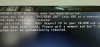
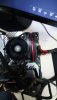
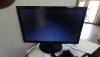
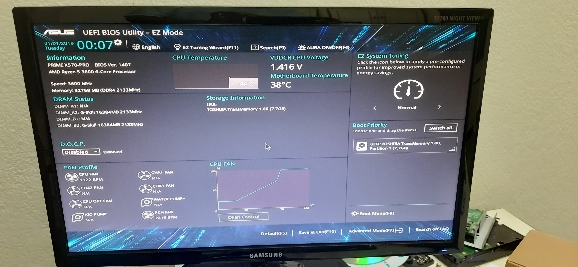
So i have this asus prime x570 pro board thats stuck on the following screen. I have followed instructions as per screen. Boot dvd, usb drive . Nothing seems ro work. Either i get this image or it board goes to blank screen. I get the single beep but no display. What are my options now.
Cpu r5 3600
Bios 1404
IMG-20201031-WA0027.jpgIMG-20201031-WA0034.jpgIMG-20201031-WA0036.jpg

Sent from my SM-M315F using Tapatalk
 
You could try a different DDR4 stick, or different slot. That said, if you still cannot get past the error, you may have to RMA the board, given I do not think it has the flashback feature. Maybe try reseating CPU.
 
You could try a different DDR4 stick, or different slot. That said, if you still cannot get past the error, you may have to RMA the board, given I do not think it has the flashback feature. Maybe try reseating CPU.
1) tried 3 different rams
2) tried 2600 and 3600
3) rma is not an option. As board was purchased in usa and i am in india, and asus does not have global warranty.
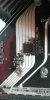
4) last option i am exploring is to remove the bios chip and flash it. ( have an guy who has the tools to do it, de soldering. Bios programmer). This is the chip in question here.IMG-20201110-WA0011.jpg

Sent from my SM-M315F using Tapatalk
 
USB bios flashback:

note that it is picky about which USB port you use, file name, and file allocation format.
 
USB bios flashback:

note that it is picky about which USB port you use, file name, and file allocation format.
Worth a try, though I looked up his board and didn't see that it was mentioned, I thought maybe his board does not have it.
 
Worth a try, though I looked up his board and didn't see that it was mentioned, I thought maybe his board does not have it.
I did not look up his board.

But I noticed on his display it is asking for PX570PRO.CAP, which is a bios flash back file. It is also saying into HDD or removable drive.

Which strongly indicates bios flashback.
 
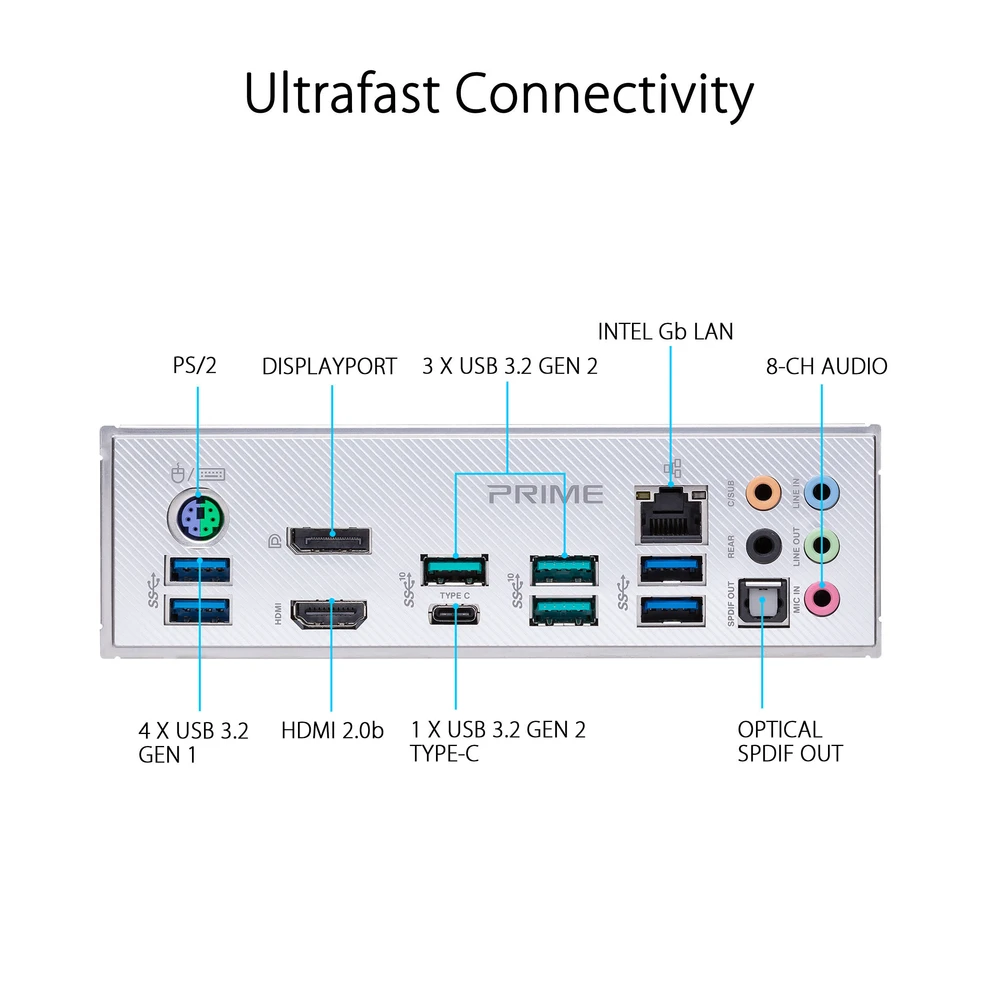
Sadly this board does not have Bios flashback, does not have usb 2.0 port. It has EZ Flash 3

63c8cdcfc70b678ee835730433b61fb5.jpg


Sent from my SM-M315F using Tapatalk
 
No, if you are trying to reset the CMOS, the board needs to lose power, so the PSU should be off.
 
https://dlcdnets.asus.com/pub/ASUS/...ME_PRO_TUF_GAMING_X570_Series_BIOS_EM_WEB.pdf
page 53 of your mainboard manual. Follow the instructions. It is doable from the USB drive.

hint: this is what your computer is asking you to do when it attempts to boot
"The utility automatically checks the devices for the BIOS file. When found, the utility
reads the BIOS file and enters ASUS EZ Flash 3 automatically"
I get blank display so it is reading the bios but not entering ASUS EZ flash. also i dont see numlock , no response from keyboard. IMG-20201031-WA0036.jpg

Sent from my SM-M315F using Tapatalk
 
just double checking:

the file is named PX570PRO.CAP
the usb device is formated fat32
the file is in the root directory
you have the usb drive plugged into the bottom left usb port
your using bios version 2802 downloaded from: https://www.asus.com/us/Motherboards/PRIME-X570-PRO/HelpDesk_BIOS/

make sure all other hard drives, cd-rom drives, and etc are all disconnected.


if all of the above is true, and it still will not flash you likely have a dead chip. You could pull it off, but odds are your friend would not be able to flash it either. There are several providers out their that will send you a new one with the correct bios already flashed. Looks like a doable solder job.

-----

a 2 minute search turned up this:

likely, if you put more time in it you could find a better solution. Perhaps your friend.

good luck.

 
Last edited:
Everything was followed as per instruction.
Pre programmed chip is not available in india and importing is a time consuming affair.
Yes i saw that as an option too. 3 shippers wont ship to to india, one will ship and cost is around $30 and add customs duty at 77% . If they allow it.

Sent from my SM-M315F using Tapatalk
 
Last edited:
You said your friend could flash it if I remember right?

Maybe digikey:

and there is always China:

It is up to you* to figure out which you need. Perhaps try and figure out what the specs on your asus bios chip are, memory size etc. Put the number on top of the chip into the internet and go digging.

The things your looking for specifically are the size, it is either 16 MB or 32 MB. The speed. The package size (dimensions).

*the picture you provided of your bios chip is to blurry to read the numbers
 
Last edited:
Sadly this board does not have Bios flashback, does not have usb 2.0 port. It has EZ Flash 3

Sent from my SM-M315F using Tapatalk

Follow post below. That's the trick to doing flashback on boards w/o the flashback port thus capability. Make sure you use the renamer tool.

just double checking:

the file is named PX570PRO.CAP
the usb device is formated fat32
the file is in the root directory
you have the usb drive plugged into the bottom left usb port
your using bios version 2802 downloaded from: https://www.asus.com/us/Motherboards/PRIME-X570-PRO/HelpDesk_BIOS/

make sure all other hard drives, cd-rom drives, and etc are all disconnected.


if all of the above is true, and it still will not flash you likely have a dead chip. You could pull it off, but odds are your friend would not be able to flash it either. There are several providers out their that will send you a new one with the correct bios already flashed. Looks like a doable solder job.

-----

a 2 minute search turned up this:

likely, if you put more time in it you could find a better solution. Perhaps your friend.

good luck.
 
So finally usb option worked
I put the 1407 bios in usb drive and it started flashing right away. Earlier i was trying with latest bios (2802). Some times i would get blank screen, some times board would get stuck on vga white light, and sometime on bios warning screen.
Finally i thought of downloading older biox 1xxx, instead of using the 2xxx, and alls well that ends well. Thank you guys.

Sent from my SM-M315F using Tapatalk
1a0d0ed65ae911bcee957bfe3d98cc27.jpg
 
Last edited:
Hey @chetansha I am getting the EXACT same issue that you have been. I currently have a renamed CAP bios on my flashdrive, and I've tried all of the USB ports to no avail. I'm about to start iterating through all of the BIOS versions available on the site to see if any work.

Which USB port did you specifically use? Thanks!

Edt for the sake of hopefully getting the most explicit answer possible: What was the exact order of operations when you had the correctly formatted USB?

System powered off
USB in Port X
Power system on
Wait?


My understanding the bios flashback has a specific boot button on the devices that support it, so I am completely stuck oneven getting the flashing to start as far as I can tell
 
Last edited:
Hey @chetansha I am getting the EXACT same issue that you have been. I currently have a renamed CAP bios on my flashdrive, and I've tried all of the USB ports to no avail. I'm about to start iterating through all of the BIOS versions available on the site to see if any work.

Which USB port did you specifically use? Thanks!

Edt for the sake of hopefully getting the most explicit answer possible: What was the exact order of operations when you had the correctly formatted USB?

System powered off
USB in Port X
Power system on
Wait?


My understanding the bios flashback has a specific boot button on the devices that support it, so I am completely stuck oneven getting the flashing to start as far as I can tell

Hi sorry for not replying back earlier. I did not see this.
What i remember is power on the board first then when you get this msg on your screen insert the usb drive with file named PX570PRO.CAP.
Then hit the reset button (or short the reset pin on mobo) system will reboot and read the bios file from the drive.

The USB port i used was the blue one below the ps/2 port. And if possible use a ps/2 keyboard.

Sent from my SM-M315F using Tapatalk
 
Hey everyone, i just bought the same motherboard but stuck on Asus logo screen unfortunatelly. I can't press Del or F2 bcs keyboard not working. Somehow for few times i could enter to bios and saw that my all hardwares working properly. But it stucks again.
I tried to pull out bios battery and cmos things but not worked. I prepared an usb disk to update my bios but i couldnt enter to bios to use usb disk.

I know this topic kinda old but i hope you can help me.

Thx a lot.

My spec:
Amd R9 5950x
Inno3d ichill 2070 super
gskill 32gb
asus prime x570 pro
samsung evo 970 m2 ssd
750w psu
 
Back
Top