• We’re currently investigating an issue related to the forum theme and styling that is impacting page layout and visual formatting. The problem has been identified, and we are actively working on a resolution. There is no impact to user data or functionality, this is strictly a front-end display issue. We’ll post an update once the fix has been deployed. Thanks for your patience while we get this sorted.

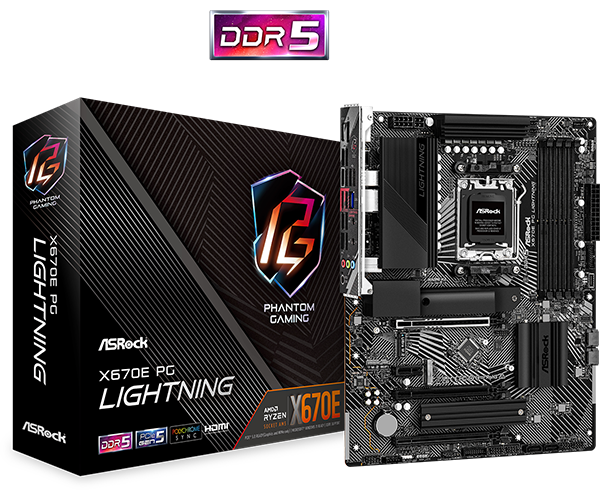
Question ASROCK X670E PG LIGHTNING

Does it apply whenever you fiddle with memory? Frequency, timings, etc.
With manual tweaking, I suppose it will try to boot with the applied settings and it that doesn't work, the BIOS screen will come up with "Failed to boot" error message. At least, that's what happens on my Z97 Gigabyte mobo.
 
I mean that 7 min thing. "First boot" is ambiguous in this context. I am assuming this error checking applies whenever any memory parameter is changed. Usually there is an option to skip it in the BIOS.
 
I am assuming this error checking applies whenever any memory parameter is changed.

future reboots will not require this wait, unless hardware is changed again in the future or other modifications are made in the system's BIOS or UEFI, in which case another delayed startup for this process may be seen.

You may be right that changing parameters may invoke the training process again but with DDR5, there may not be an option to skip it.
 
I read of the boot times and it regress to being unbearable for me! It has not be fixed and still takes a super long time to end the booting process so you can begin using you computer afterwards. 😵
 
It appears there is a BIOS update for the long boot times.

I was looking at the QVL for this board, the fastest 4 DIMM support is 5200. I want 64gb at 6000 but not sure what is supported. Would 2x of the 32gb (2x16gb) work?
 
I've got a B650E board and will find out myself soon enough. This Asrock board is really nice and I took a good look at this before I decided on an ASUS board. In the end I wanted to be "future-proof" with more PCIe Gen 5 slots and went an with ASUS board. But this Asrock board has everything at least on paper. Even the 790X Pro RS looks good with 5 (!) x M.2 slots, but expansion slots suffer somewhat.
 
Last edited:
Back
Top