Hi,
I have a weird situation here with my Z590 Aorus Ultra (F5 bios) & CPU-Z v1.98 + HWiNFO v6.5 under win10 21H1.
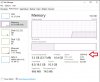
Doing some RAM oc testing & dialling in 4133MHz for RAM, booting then running Memtest86, it passes but upon booting into windows & running CPU-Z & HWiNFO, they both show RAM at only 4000MHz?
Rechecking the bios certainly shows 4133MHz is dialled in & set.
Not sure what is at fault here? is this a problem with the windows apps or the bios itself?
Thanks.
I have a weird situation here with my Z590 Aorus Ultra (F5 bios) & CPU-Z v1.98 + HWiNFO v6.5 under win10 21H1.
Doing some RAM oc testing & dialling in 4133MHz for RAM, booting then running Memtest86, it passes but upon booting into windows & running CPU-Z & HWiNFO, they both show RAM at only 4000MHz?
Rechecking the bios certainly shows 4133MHz is dialled in & set.
Not sure what is at fault here? is this a problem with the windows apps or the bios itself?
Thanks.