• We’re currently investigating an issue related to the forum theme and styling that is impacting page layout and visual formatting. The problem has been identified, and we are actively working on a resolution. There is no impact to user data or functionality, this is strictly a front-end display issue. We’ll post an update once the fix has been deployed. Thanks for your patience while we get this sorted.

Question AM5 CPU LED Stays on after booting in to Windows, Why?

ScottAD

Senior member
I upgraded platforms and am running an AM5 Ryzen 5 7600X with a Gigabyte B650 Aorus Elite AX V2 Rev 1.0 board. Using Team Group Vulcan alpha 32GB (2 x 16GB) 288-Pin PC RAM DDR5 6000.

PC boots in to windows, all the drivers are up to date but my CPU LED stays on after boot.

Temps are good, 41 using a DeepCool AK620 Digital and 10 mins of Cinebench 2024 isn't throwing any issues.

My old AM4 board from MSI the CPU LED always stayed on even after successful boot, should I be concerned?
 
My daughter's PC has the same CPU and motherboard. Her CPU/VGA/RAM LEDs turn OFF as soon as Windows starts to boot. The manual says that if the CPU/VGA/RAM LED is on after booting there is something wrong. What BIOS version do you have? Have you made any changes in the BIOS, perhaps try resetting to defaults and see if the problem persists?
 
My daughter's PC has the same CPU and motherboard. Her CPU/VGA/RAM LEDs turn OFF as soon as Windows starts to boot. The manual says that if the CPU/VGA/RAM LED is on after booting there is something wrong. What BIOS version do you have? Have you made any changes in the BIOS, perhaps try resetting to defaults and see if the problem persists?
I did a fresh install last night so I am on F22 released 3/21/2024.

I do have EXPO 1 Enabled but the light was on before I did that.

I typically flash the latest non-beta BIOS, Reset BIOS settings to Factory Defaults and then load Windows. Once I have Windows loaded, all the necessary drivers/updates installed for a vanilla install I will then enable Expo/XMP.

May reinstall the CPU later tonight but I don't have anything pointing me to a problem other than the LED being on unfortunately.
 
I did a fresh install last night so I am on F22 released 3/21/2024.

I do have EXPO 1 Enabled but the light was on before I did that.

I typically flash the latest non-beta BIOS, Reset BIOS settings to Factory Defaults and then load Windows. Once I have Windows loaded, all the necessary drivers/updates installed for a vanilla install I will then enable Expo/XMP.

May reinstall the CPU later tonight but I don't have anything pointing me to a problem other than the LED being on unfortunately.
All of that sounds fine. I believe my daughter's PC is on an F21a, it has been a few months since I updated it. We have EXPO enabled and are using PBO+CO along with some fan curves so just a little more than you have set up.

If you reinstall the CPU take a look at the socket for any bent pins.

Outside of that maybe chat with Gigabyte's Customer Service? Or if everything else seems to be working fine I guess you could live with it, but it would drive me nuts not knowing.
 
All of that sounds fine. I believe my daughter's PC is on an F21a, it has been a few months since I updated it. We have EXPO enabled and are using PBO+CO along with some fan curves so just a little more than you have set up.

If you reinstall the CPU take a look at the socket for any bent pins.

Outside of that maybe chat with Gigabyte's Customer Service? Or if everything else seems to be working fine I guess you could live with it, but it would drive me nuts not knowing.
Yep the light will drive me nuts not knowing 😆 Thanks, I'll tru the CPU reseat then the CS line worse case.
 
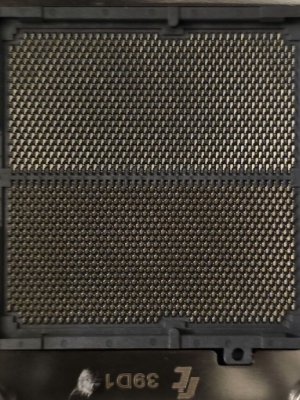
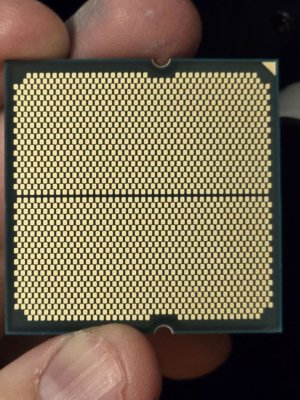
So socket looks fine and the chip itself does as well.

I tried playing Fortnite and the game ran maybe 3-4 mins then the pc hard reboot. Don’t think it is a TIM issue since temps run mid 40 on air and see 70s while in game.

Isn’t the first PC I’ve built but definitely has me scratching my head.
 

Attachments

  • image000000.jpeg
    image000000.jpeg
    164.6 KB · Views: 6
  • image000000.jpeg
    image000000.jpeg
    158.7 KB · Views: 6
  • IMG_1640.jpeg
    IMG_1640.jpeg
    342.8 KB · Views: 6
  • IMG_1641.jpeg
    IMG_1641.jpeg
    324.8 KB · Views: 6
So socket looks fine and the chip itself does as well.

I tried playing Fortnite and the game ran maybe 3-4 mins then the pc hard reboot. Don’t think it is a TIM issue since temps run mid 40 on air and see 70s while in game.

Isn’t the first PC I’ve built but definitely has me scratching my head.
Well, you should be able to run Fortnite for longer than that. Do the event logs show anything?

Outside of trying a different BIOS I would think you either have a CPU or a motherboard problem. Without a spare of either it will be difficult to determine though. I honestly would lean toward the motherboard.

One other thought, reseat the 8 pin EPS connector on the top left of the motherboard.
 
CPU light is gone.

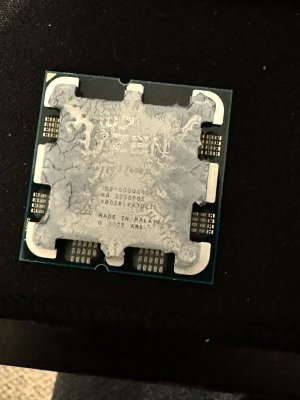
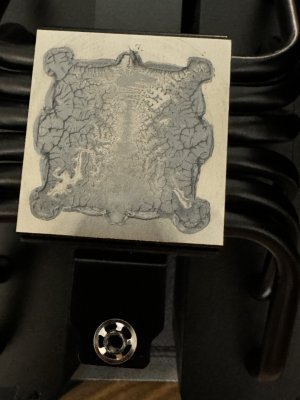
I did repaste the CPU but I think the cause was extension cables to the EPS connection. I removed those and plugged the OEM cables straight in to the PSU and no light now.
 
CPU light is gone.

I did repaste the CPU but I think the cause was extension cables to the EPS connection. I removed those and plugged the OEM cables straight in to the PSU and no light now.
Stress test it as much as you can. My guess is that one (or more) of the wires in the extensions isn't crimped properly. If you have a multimeter you can test continuity of each pin to verify if you want. Otherwise just try another extension.
 
Re-read what I wrote. I was referencing the continuity test, not the issues at hand.
I understood what you wrote. And I don't deny that one strand making contact would show continuity. My point is that in this case, if the continuity test showed any continuity at all he likely wouldn't be experiencing the issues at hand. So it's highly probable that a continuity test would show something wrong with at least one of the conductors in the extension.
 
Back
Top