• We’re currently investigating an issue related to the forum theme and styling that is impacting page layout and visual formatting. The problem has been identified, and we are actively working on a resolution. There is no impact to user data or functionality, this is strictly a front-end display issue. We’ll post an update once the fix has been deployed. Thanks for your patience while we get this sorted.

12" MacBook (2017)

Page 2 - Seeking answers? Join the AnandTech community: where nearly half-a-million members share solutions and discuss the latest tech.
Yes, all models of the MacBook are fanless. They all use the same Intel 4.5 Watt Y-series processors; the i7 being the highest clocked of the lot.
 
  • Like
Reactions: Fir
The Geekbench 4 results I've been posting have been top end scores for each model. However, Geekbench themselves also post a chart of average Geekbench scores. Take a look where the 2017 m3 sits compared to the 2016 m7 and m5. Impressive.

D92CC820-E669-4001-903E-82CF22D46E8A_zpsmobi2gnq.png
 
AppleInsider compares 2017 m3 (1.2 / 3.0 GHz) MacBook vs 2015 m5 (1.2 / 2.6 GHz) MacBook:


Advantages of 2017 model:

Much better keyboard
Bluetooth 4.2 (instead of 4.0)
Faster RAM (same as 2016 model)
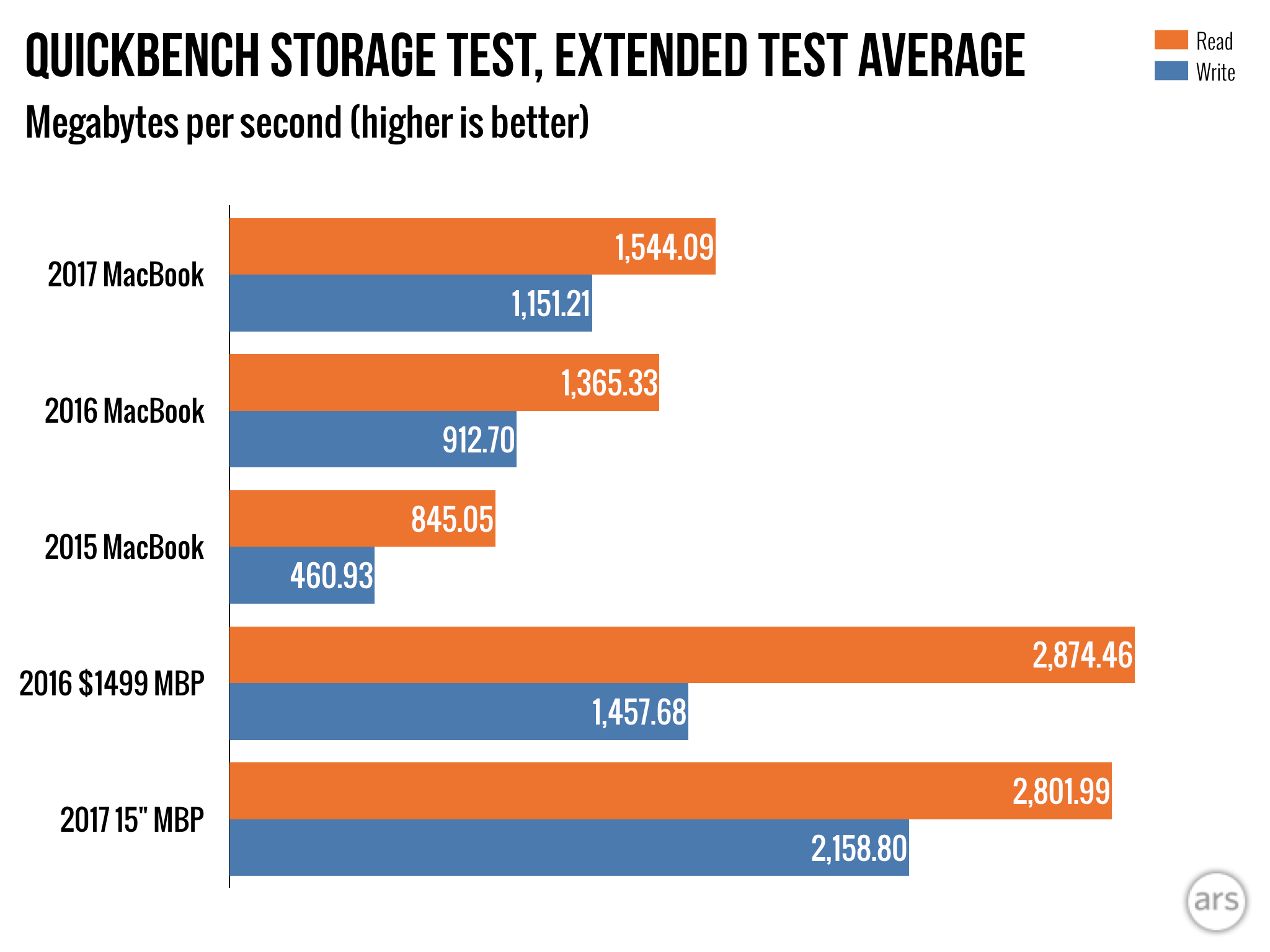
SSD overall twice as fast. 1.8X for read and 2.3X for write.
CPU 20-27% faster
GPU 44-50% faster
Throttles less, but partially because max acceptable temperature raised to 100C instead of 94C.
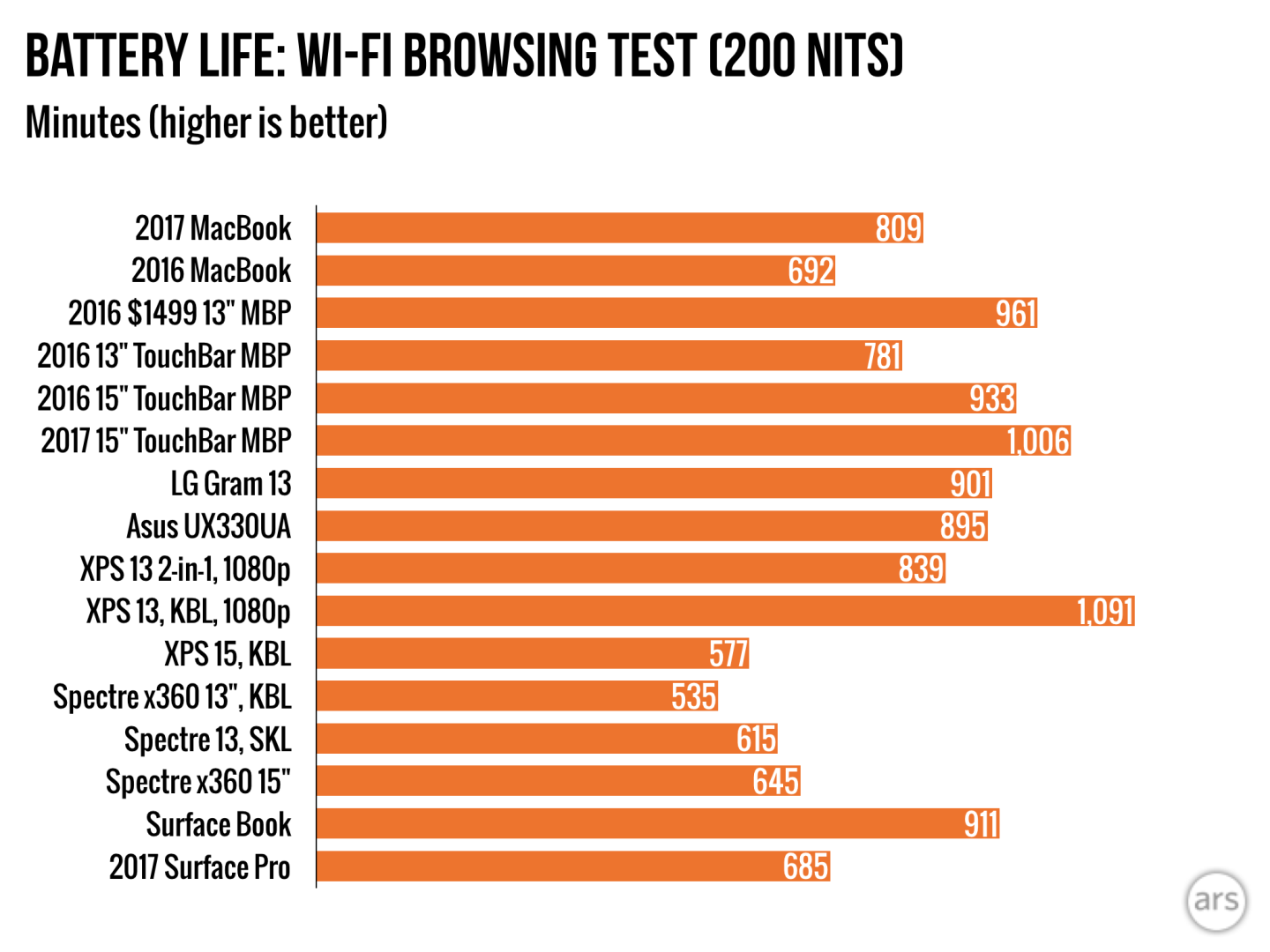
Longer battery life for video playback

Remember, this is vs. the 2015 m5 at the exact same base clock speed.
 
Last edited:
It's always good to also look into some of the context for why the Geekbench scores are so much better so that you understand the actual real life performance impact. Two basic things: Kaby Lake chips can turbo higher and they can also turbo faster.

For bursty workloads, they will feel *much* snappier, but longer term tasks will likely be throttled down over the duration of their execution. For the kinds of workloads expected on a machine like this, it should have a really significant tangible improvement.

Generally I'd say this is a spectacular upgrade with the SSD speed boost, power efficiency, and burstable speed.
 
Last edited:
Got my 16 GB MacBook Core m3 today. This thing indeed feels quite fast. I'm very pleased with the performance as the machine overall is considerably peppier than the 2015 m3. It is quite noticeable. Also, for office usage it actually feels faster than my Core i7 870 iMac, probably due to the decent single-core burst speed paired to the super fast 256 GB SSD.

SSDspeed2_zpslnz0ldxj.png


I can't believe I now have over 1 GB/s read and write on my ultraportable. Yet this is actually a "slow" SSD for Apple's 2017 Macs but it's the fastest in my house so far... until I get my new iMac. 😉

For performance, the 16 GB doesn't hurt either. I'm already over 9 GB with just light usage.

I'm still not a huge fan of the trackpad as it is firmer feeling on the Pros which I prefer, but the keyboard is vastly improved. The keyboard on the first one was a real let down.
 
According to the Intel Power Gadget utility, this m3 of mine throttles to 2.5 GHz under sustained full load. I'm pretty happy with that (esp. since apparently the higher end Y chips also throttle to that, at least according to some tests).

m3-pegged_zpswuz4xwnn.png
 
Back
Top